Phoenix Schmitt
Phoenix Schmitt
Game Designer
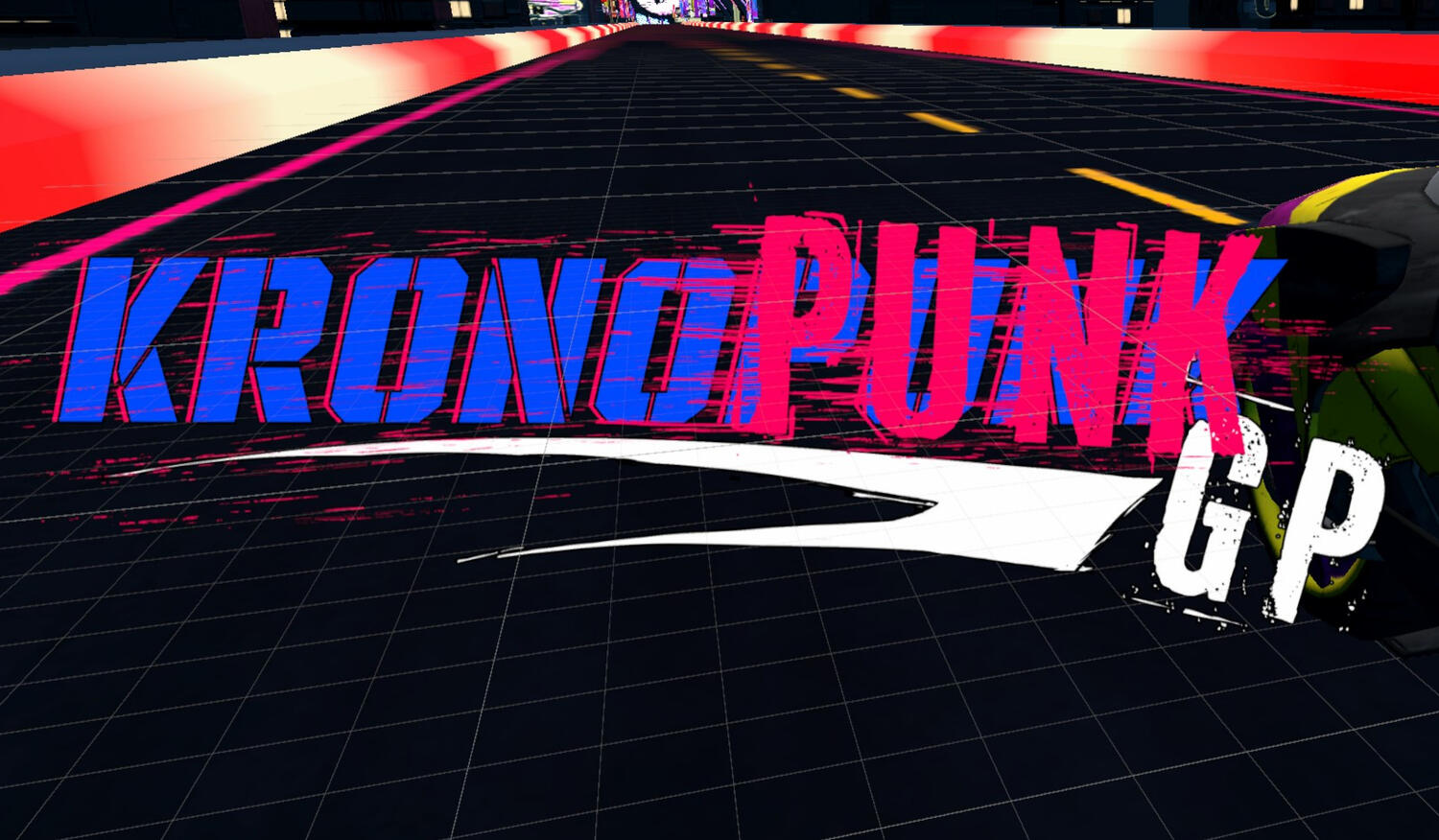
Kronopunk GP
Styled after MotoGP with a cyberpunk aesthetic, Kronopunk GP is a VR motorcycle racing game. The game was made by a team of around 12 students at Austin Community College for our senior project. As Lead Technical Designer, I was in charge of keeping everyone's code up to par while managing Github repositories, helped plan out code, and exported builds for testing.
Nonogram Demo Tool
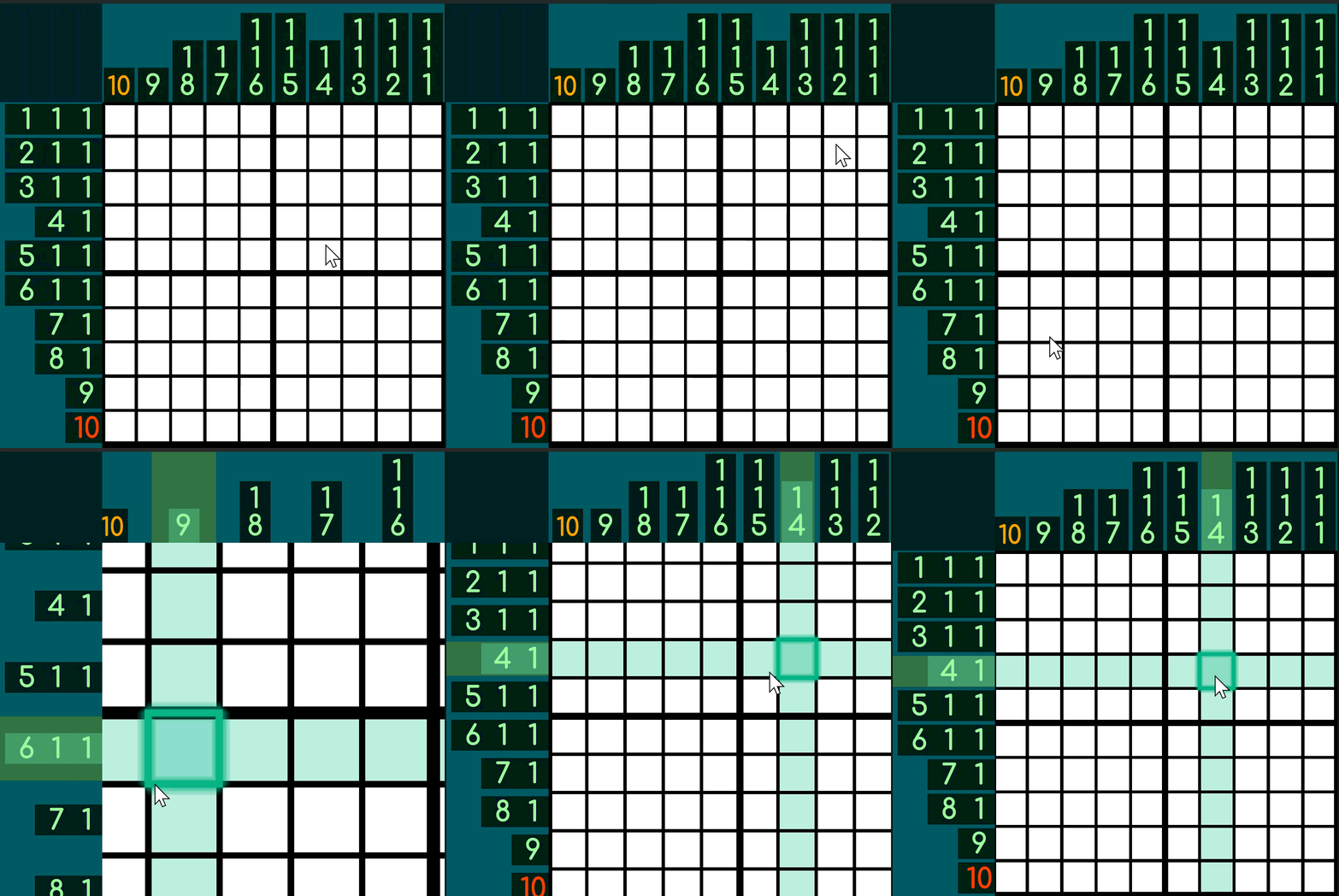
"Nonogram", "Picross", and "Pictograms". There's many names for this type of puzzle and dozens of games that try to represent it in digital form. Among them, I've yet to find a nonogram game that fulfills everything a player could want from the experience.
While working on my main main, this demo tool is meant to be used by artists to compare their art to my requirements for a proper nonogram puzzle.
Pizza Maker Demo
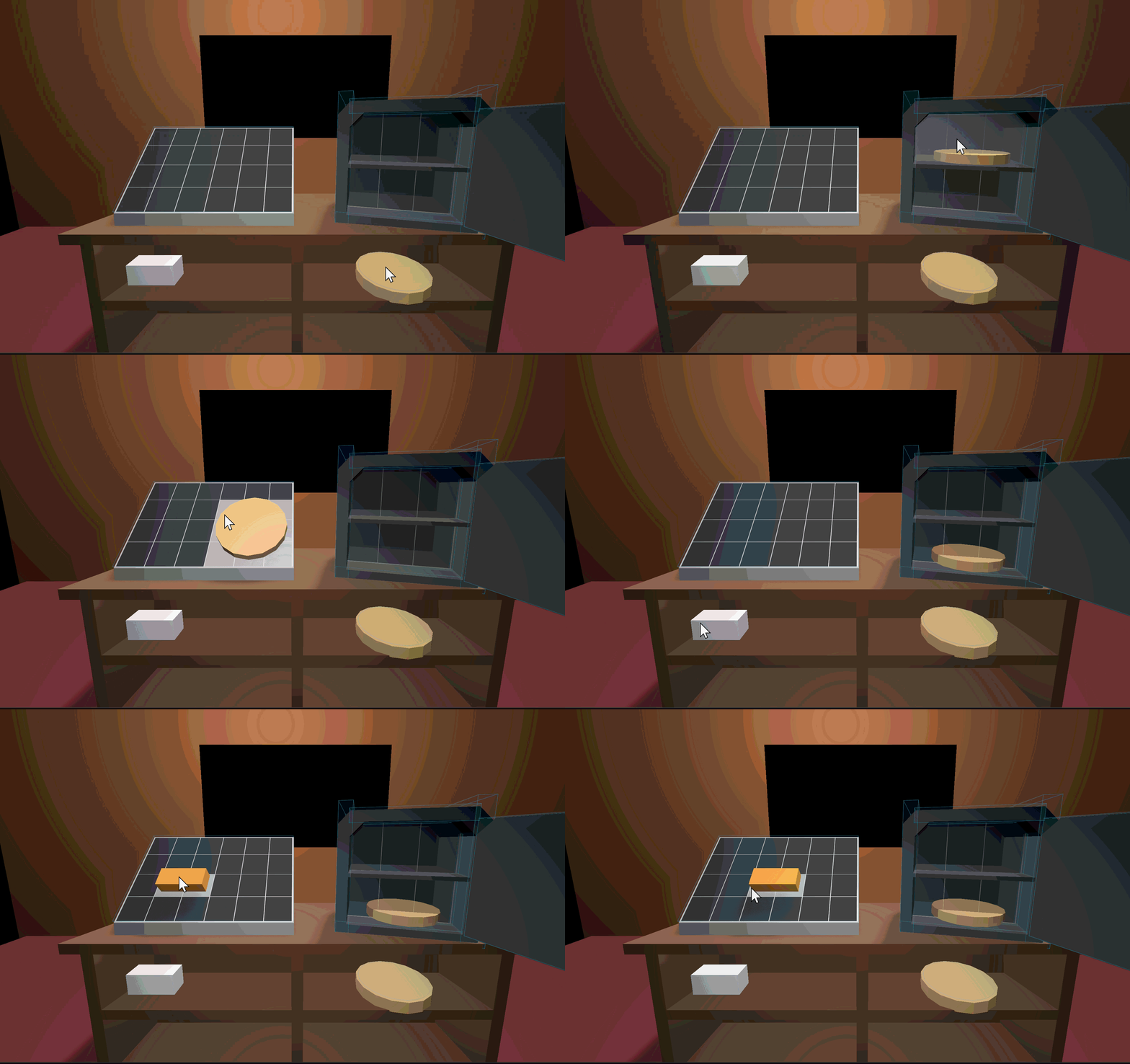
The precursor to a much larger project, Pizza Maker Demo is a Point-and-Click resource management game where you try to make pizza's as quickly as the orders come in.
Kronopunk GP
Kronopunk-GP is a VR motorcycle racing game made as the final project by a group of 12 college students. My contributions were as the "Programming Lead" - a role that involved keeping up with everyone's code contributions, bug fixes, and understanding Github for everyone else's sakes.
My Contributions:
Gameplay/UI
Iterating head tilting code that leaned the bike left/right as it moved forward.
Fixed bugs for grabbing and releasing the handlebar.
Fixed bugs related to AI Bike movement.
Worked with artists to iterate on the track and insure that the track collision matched the artist version of the track.
Created modular code to host multiple Main Menu menus.
Build Optimization
Worked on optimizing the game to run nicely on the VR Meta Quest 3.
Modified Unity's Renderer settings to fit Meta Quest requirements.
In charge of creating builds.
Fixed bugs as they were discovered in successful builds.
Teamwork
Picked up other programmer's code to fix bugs so that they can move on to other important features.
Scheduled and processed Code Reviews both in-person and through Github's interface.
Successfully collaborated in multiple team meetings resulting in brainstorming and iterating gameplay.
Nonogram Demo Tool
A passion project inspired by the many nonogram games I've played over the years, Nonogram Ultra is a game with all the bells and whistles one could want from a game about nonograms: Color and Monochrom Grids, Zoom functionality, Dynamic Grid Sizes, a level select that shows completed puzzles, and more.The provided Github repo is a translated version of the project from GDScript to C#. This version was made to be used by artists of the project to check their pixel art meets the requirements of the game.
Table of Contents
Bar Hint Generation
"Bar Hints" is the general term for the puzzle hints shown on the top and left side's of a nonogram grid. They are the most important part of generating the nonogram and was one of the first aspects of code to be written.These Bar Hints are generated by iterating through a pixel art png (to be changed to json) and counting each cell with a color similar to the previous cell and non-white or transparent.

Example of Nonogram grid
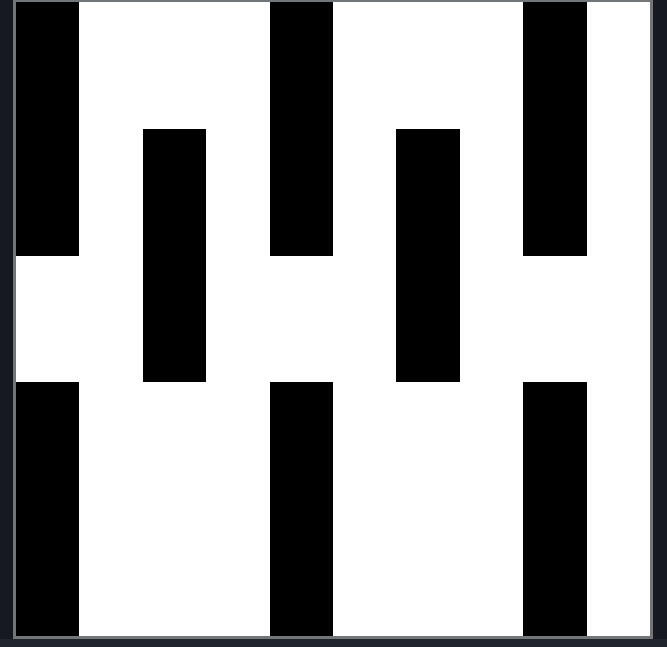
Pixel art image used to generate the left grid
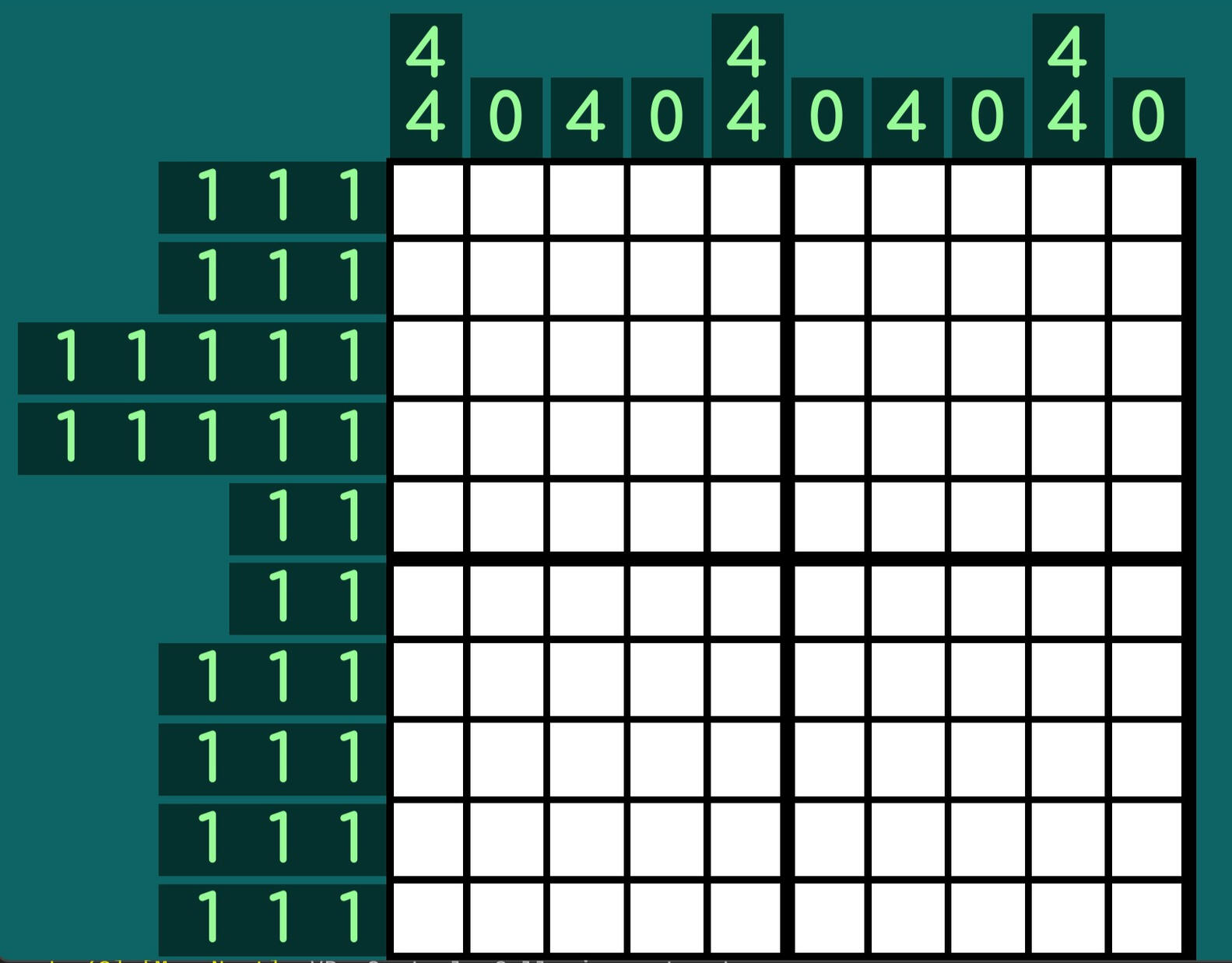

Both BarHints are made up of a List of NotchHints representing the row/column they've been created for. The algorithm is a simple list of steps of checking the color of the current cell and comparing it to either the current accounted filled cells or the previous color.The beauty of this algorithm is it will work for both a monochrome grid and a color grid.The RC_NotchHint (RC standing for RefCounted) is a script that keeps track of a list of numbers and colors in its respective column/row. By adding onto these lists at the same time, I can be assured that the colors are directly connected to their associated number.
Grid Generation
The actual first code written for this project. Everything about the way the nonogram is laid out is based on the grid generation. The reason for this is that the GridGeneration node is held within a Subviewport. Within it's script, it calculates the shortest side of the viewport divided by the longest cell count, creating the overall cellSize of the grid.This Cell Size dictates the size of everything else visually: (font size of BarHint, notch thickness of BarHint, length of lines making up the grid, etc.)


The actual grid is created using Godot's in built _Draw() function and the handy functions that come with it.DrawMultiline() draws an array of lines from a starting position to an ending position while DrawSetTransform() helps to rotate the transform of _Draw() in such a way that I can reuse the exact code made prior with minimal change.
Dynamic Grid Sizes
The next most important part of the grid generation is the ability to accommodate grids of any size.This logic utilizes Godot's GridContainer. By changing the minimum size of the first Node in the GridContainer, the BarHints current size will be transformed along with it.
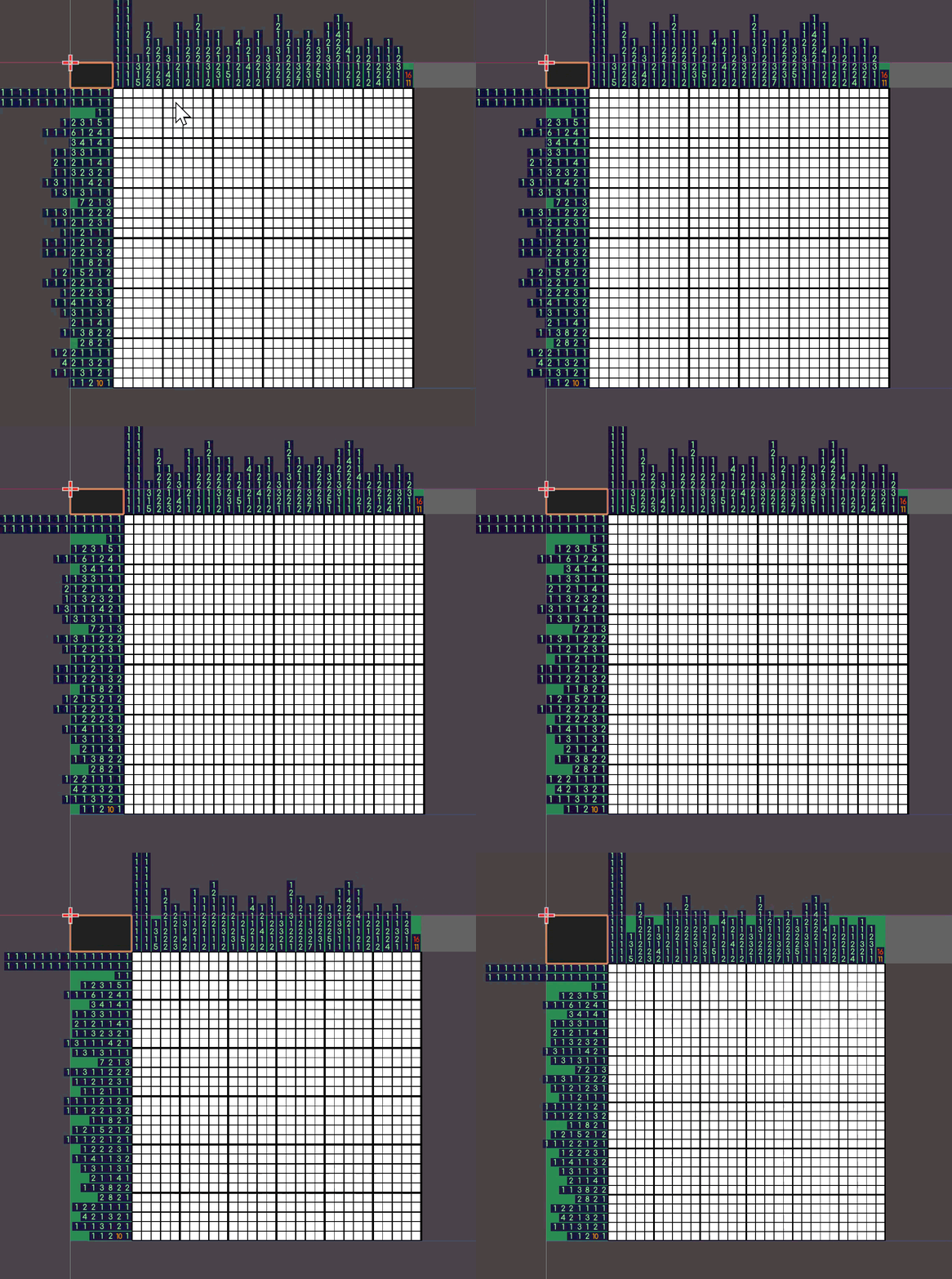

The actual logic for this is at runtime calculates the longest possible size of the BarHints and compares it with the current calculated allowance (labelled as "Consequence" in code) that the BarHints are supposed to be contained in.The comparison is called roomForImprovement. Too small, and the BarHints would be uncomfortably touching the edges of the screen. Too large, and the BarHint is taking up too much of the screen.The BarHintRatio is how much of the screen I want the BarHints to take up. By default, it tries to fit within 1/4th size of screen. If it can't, it'll move on to trying ot fit within 1/2 screen size.This logic all occurs in a while loop. To prevent the while loop from going rogue, there is a safety return true on Line 128 that'll stop it if the other logic fails.
Bar Hint Visuals
Now with Grid Generation, BarHint Generation, and Cell Size figured out, the actual bar hints visuals can now be created.Below is shown the differences between the way a Color Nonogram and Monochrom Nonogram bar hints are generated. The only major difference being the "Color blocks" marking the color associated with each number in the Color Nonogram and font colors being more dynamic in the Monochrome Grid in comparison to only black and white in the Color Grid.*Because the size of the Bar Hints is based on the cell size's of the grid, the nonogram generation is fully dynamic. It can technically accomodate any size grid within an appropriate size (1000x1000 pixel art would be nuts!)

Color Nonogram Generation

Monochrome Nonogram Generation
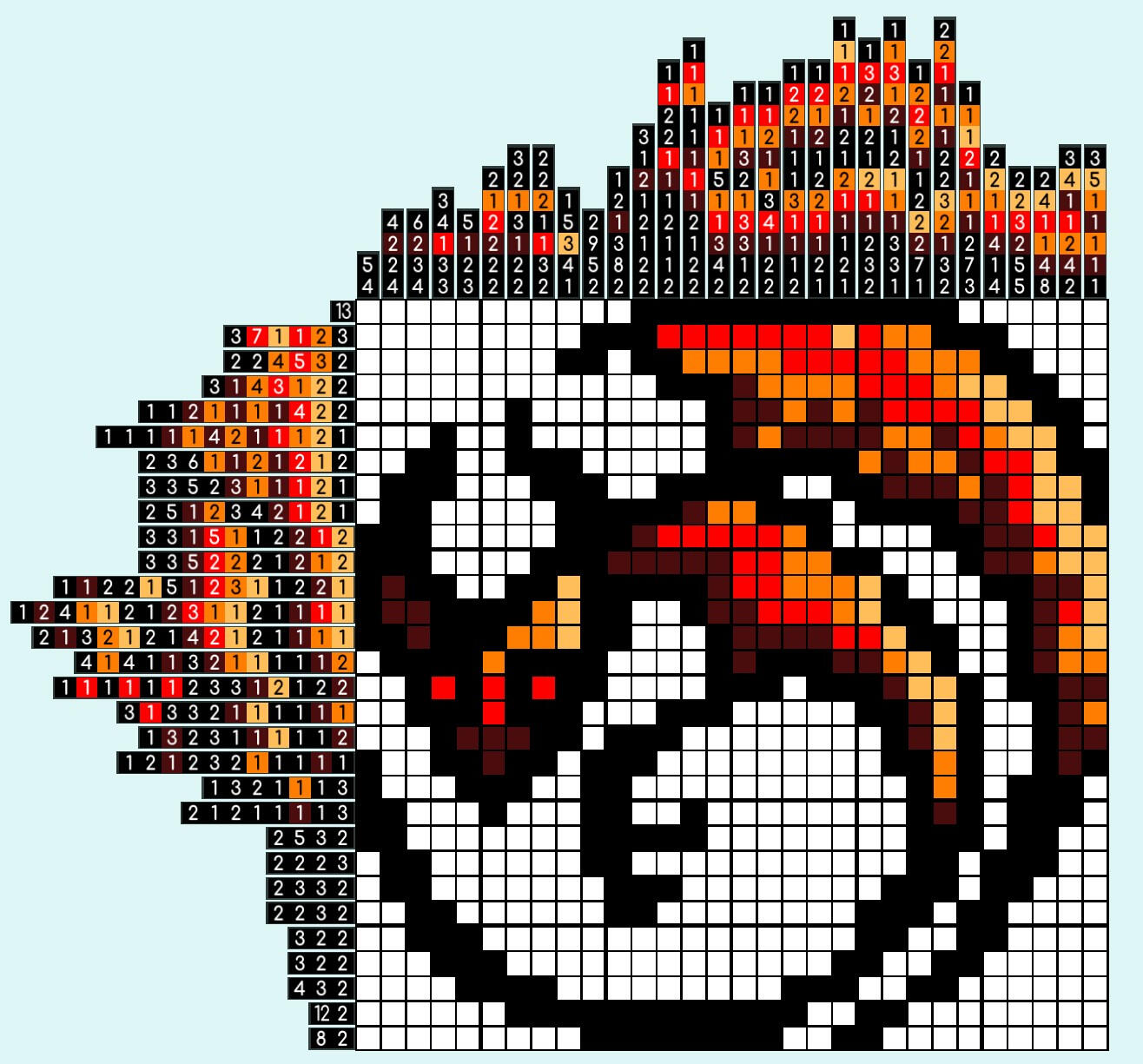
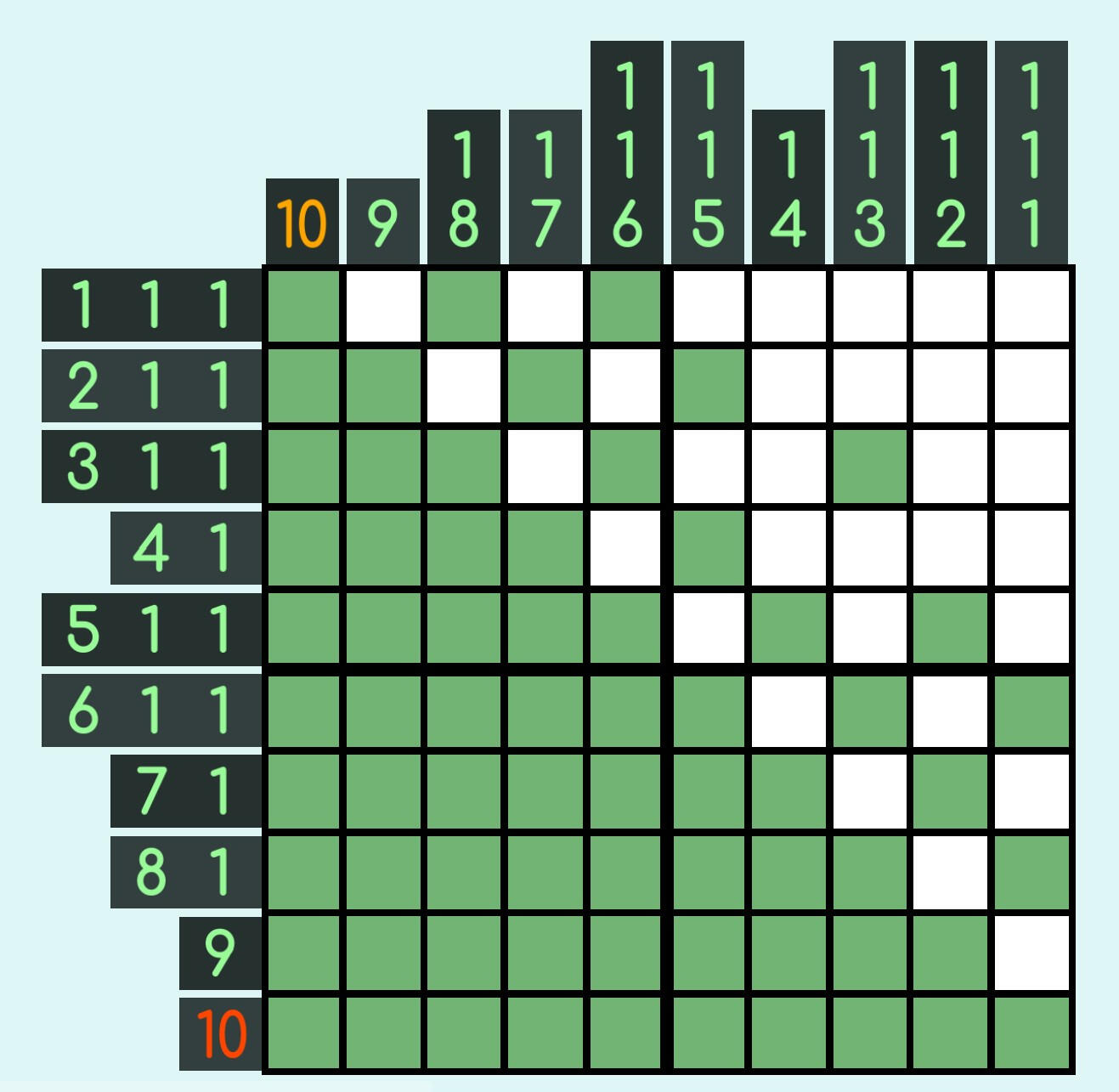
This logic is done through an abstract class BarControl that diverges inheritance into a VBarControl (Generation of the left/Vertical bar) and HBarControl (Generation of the top/Horizontal bar).The only relevant logic stored in BarControl is within the _Draw() function. The font size is determined by the cellSize (taken from GridGeneration) multiplied by the fontSizeModifier (taken from BarSizeControl).

Most other function calls are all overriden in VBarControl and HBarControl. Allowing for organization of code that is very similar but contains drastically minor differences.The other code to note is the toCanvas Transform2D variable in line 59. Though not demonstrated in this repo, this variable will be what allows the BarControl's visuals to move with the Grid when a Camera2D moves around the screen.

The code to the left shows the chunk of logic for creating the list of hints in each notch of the VBarControl. Here's a quick list of whats going on:
(Line 47-48) The starting position on the y-axis. The extra calculation is force the canvasPos to begin in the middle of the grid cell y-axis.
(Line 50) Because font sizes in Godot do not allow subpixel sizes, a pseudoFontSize is created to smoothly iterate positions within all calculations.
(Line 56) Get the RC_NotchHint of this row. to be used (Line 67) for getting the current number and (Line94) current color if there is any.
(Line 74 - Line 83) Special logic for scaling an alternate version of the main font used for double digit numbers. This is done to deal double digits being too big normally. The AltFontColors are a Quality Of Life feature to make it easier to distinguish between the beginning/end of numbers due to double digits possibly being to close to the next number.
(Line 85 - 105) Logic dealing with creating the color backgrounds seen in the Color Nonogram seen above. (Line 97) Deals with making the font color black/white depending on the background luminence.
The rest of the code deals with positioning/sizing the numbers exactly how I want them to be
Current progress on the tool

The above illustrates the current progress on a tool for artists to immediately check their work meets the requirements to be useable as a nonogram puzzle. The above example currently shows that their is 3 unique colors that look black, but are considered completely unique by the code.
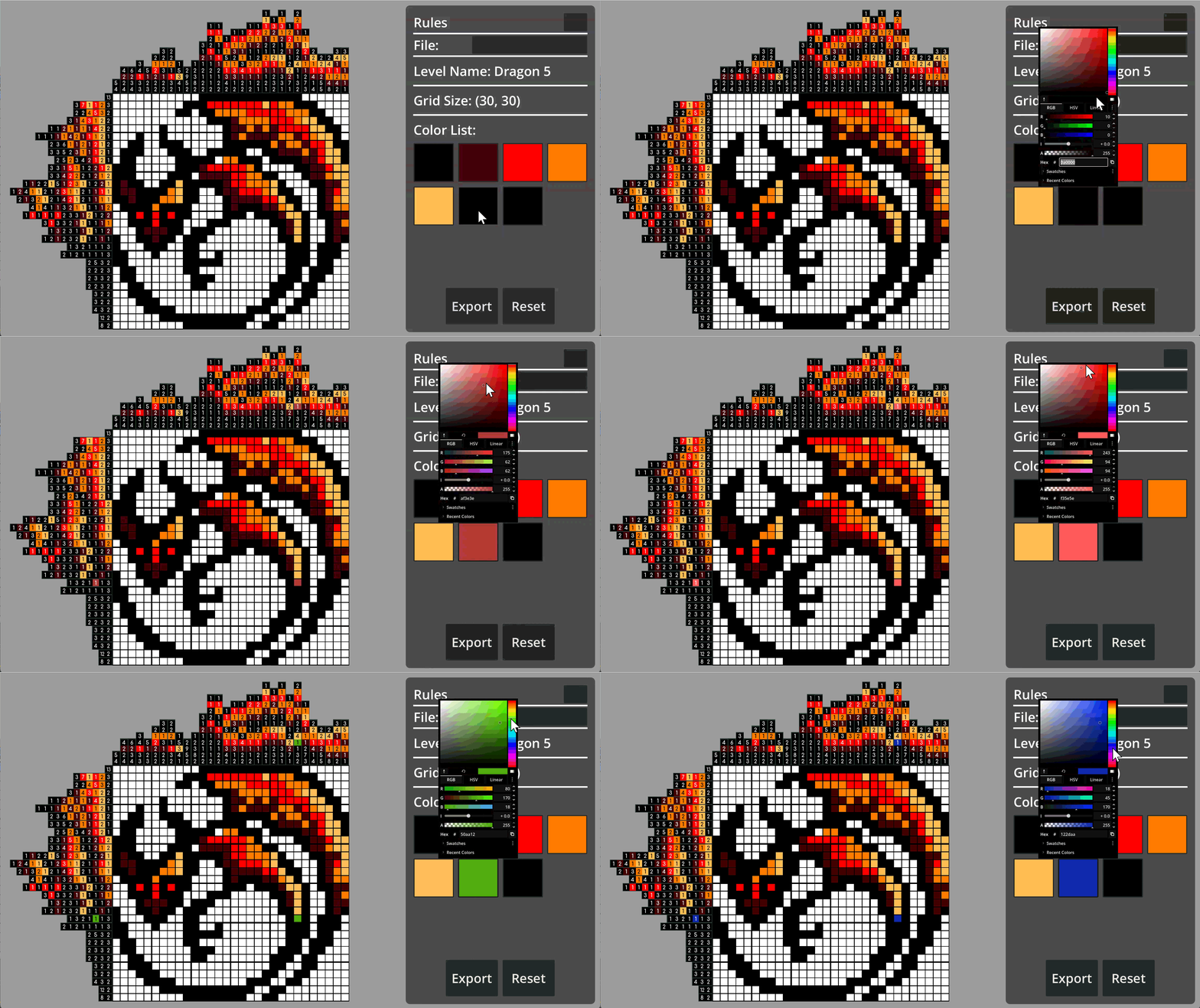
They can now find the rogue pixels and fix them immediately.This wouldn't just be used to see "rogue" colors, but also colors the artist thought looked nice but cause a color palette that wouldn't work well for playing.
(More examples to come)
Pizza Maker Demo
Originally a game about making meals while being hunted down by monsters, this demo is scoped down in order to focus on just the "meal making" aspect of the game. This is due in part because of how new I am to game making and - if I can make the scope down version - I can make the much bigger version later.The gameplay centers around point-and-click movement of ingredients, along with managing space, resources, and time as orders come in. What you'll notice with my code is that I focused on design that could be overridden in later scripts based on my hopes for an expanded project.The provided Github repo is a translated version of the project from GDScript to C#.
Table of Contents
Grid Movement
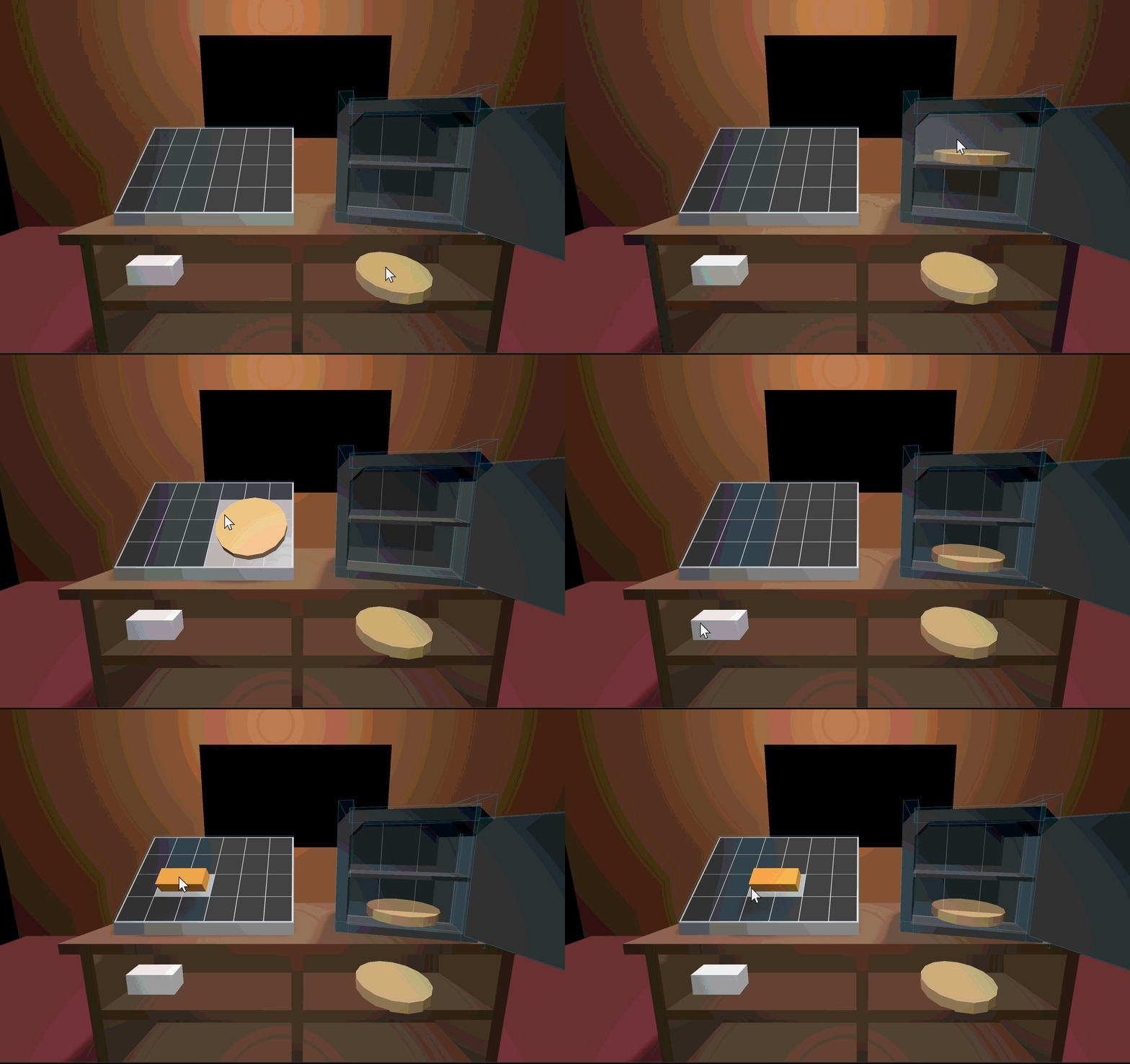
The main mechanic of the game is the ability for the player to pick up and move the ingredients around the screen."Cooker" Objects are any objects that can transform an ingredient into another ingredient (Example: a block of cheese to grated cheese).

Translating a 3D mouse position into 2D

Translating a 2D position into 3D


While I could use a raycast to point to where the mouse is on the screen, I prefer to use the _InputEvent() function that all Godot CollisionObject3D nodes have. This function automatically detects when/where the mouse is hovering over it.Passing in eventPosition arguement into my custom function GetGridIndexFromInput(), I can translate the 3D world position into a 2D grid position. This can then be translated back into 3D world position by inverting the calculations.The other aspects of this code is that it uses the propertions from both a PlaneMesh (CookerMesh in code) and a Subviewport (GridViewport in code) for visually showing the grid via a SubviewportTexture.
Ingredient Interaction Using Groups
Godot doesn't contain the functionality for C# Interfaces, but it does have a close equivalent through Groups: A string tag you can add on a node to group it with other nodes.With these groups, functions can be called on and node that contains the tag. This is utilized in my DragIngredientManager class.
Line 101 calls the TakeIngredient() function on the hoveredStorage variable.*NOTE: The StaticStringRef class is a custom helper class where I store all StringName/NodePath references for the entire project. This is to get around a quirk of how Godot translates C# into the engine. Most if not all functions that ask for a StringName/NodePath can have a string passed in. This should not be done due to the resulting lag.

The above code shows the logic of interacting with a Cooker while holding an Ingredient or having no Ingredient.(Line 101) Interacting without an ingredient will result in trying to take an ingredient.Interacting with an Ingredient will either (Line 124) result in placing it onto a Cooker or (Line 128) returning the Ingredient to its parent.
How Ingredients Are Placed
The actual Cookers store the logic for whether an Ingredient can be placed on it. 3 booleans are checked across multiple functions:
isCellsFree: Are there any ingredients in the hovered cells
canFitInCooker: Can the Ingredient even fit inside the allotted grid.
isAllowedCooker: A quick check if the Ingredient contains a sub-ingredient it can be cooked into via the hovered cooker.


isCellsFree is checked when updating the tempTakenCells array in TryPlaceIngredientsInCell() and CheckIfTempCellsTaken().Ingredients keep track of what cells they take up in an array of integers. By cross referencing the taken cells of the Ingredients a Cooker is keeping track of with the current tempTakenCells, we can quickly find out if hovered cells are overlapping.
canFitInCooker is checked while pushing the tempTakenCells around to make sure dragging Ingredient stays within the bounds of the Cooker.This code utilizes Godot's Rect2I class to check if the Cooker grid encloses the Ingredient (Line 225). By checking the Intersection of the grid, we can move the Ingredient around to keep it within the bounds of the Grid.

An important note to be made is that Ingredients don't have any collisions. Due to the grid aspect of movement and selection, giving Ingredients collisions would result in situations where Ingredients at the front of the grid are more accessible than Ingredients in the back.Through storing all selection logic via checking grid cells in a Cooker, the above problem is completely negated. Hopefully...
Current Progress
Currently, dragging movement is fully prototyped (as shown in the gif) and I'm currently working on the actual cooking mechanic of the Ingredients.
Current Issues:
| Current Issue | Proposed Solution |
|---|---|
| Ingredients must store their own logic for how to be cooked | Using pseudo State Machine-like logic where there's multiple CookingLogic classes. Each with it's own Cooking() function for the Ingredient to perform over time. |
| Cooking an Ingredient must able to be stopped as needed (The Oven stops cooking Ingredients when the Oven Door is open) | An OvenDoor class that stores it's own logic for pausing Ingredient cooking when door is open by utilizing Godot's ProcessMode's to pause Ingredient _Process's |
| Because of how the DragIngredientManager and Cooker code was written, the OvenDoor class causes logic issues with dropping, opening, and closing the OvenDoor while holding an Ingredient. | Refactor code to accommodate new logic. |

Hi! I'm Phoenix Schmitt
I'm a recent Game Design graduate from Austin Community College. I enjoy sewing and drawing in my free time. I thoroughly enjoy coding and discovering the multiple ways to approach problem solving. Every bug is another opportunity to learn.
Email me:
Discord:
@charlilouis
Contact me with more information: